Figma ➔ Code Implementation
Highlight LangDB's capability to connect with Figma and extract design specifications that can be used to automate Python code generation.
This showcase demonstrates:
- Querying Figma design files programmatically.
- Extracting layout and component metadata.
- Using the design metadata as the basis for Python implementation
Why It Matters
- Bridge the gap between design and engineering workflows.
- Save time by automating the extraction of Figma designs.
- Empower developers to move from design-to-code faster.
How It Works
Figma Design ➔ AI Agent ➔ Extract Metadata ➔ Implement in Python
Your AI Agent/Editor reads the Figma file structure, extracts relevant information, and enables code generation based on the design layout.
MCP Server Setup
Figma MCP Server
- Authentication: Personal Access Token (API Key).
- Environment Variables: API key must be securely stored.
Steps:
- Generate a Figma Personal Access Token from Figma Settings.
- Configure the Figma MCP server inside LangDB using this token.
| MCP Server | Authentication Type |
|---|---|
| Figma | Personal Access Token |
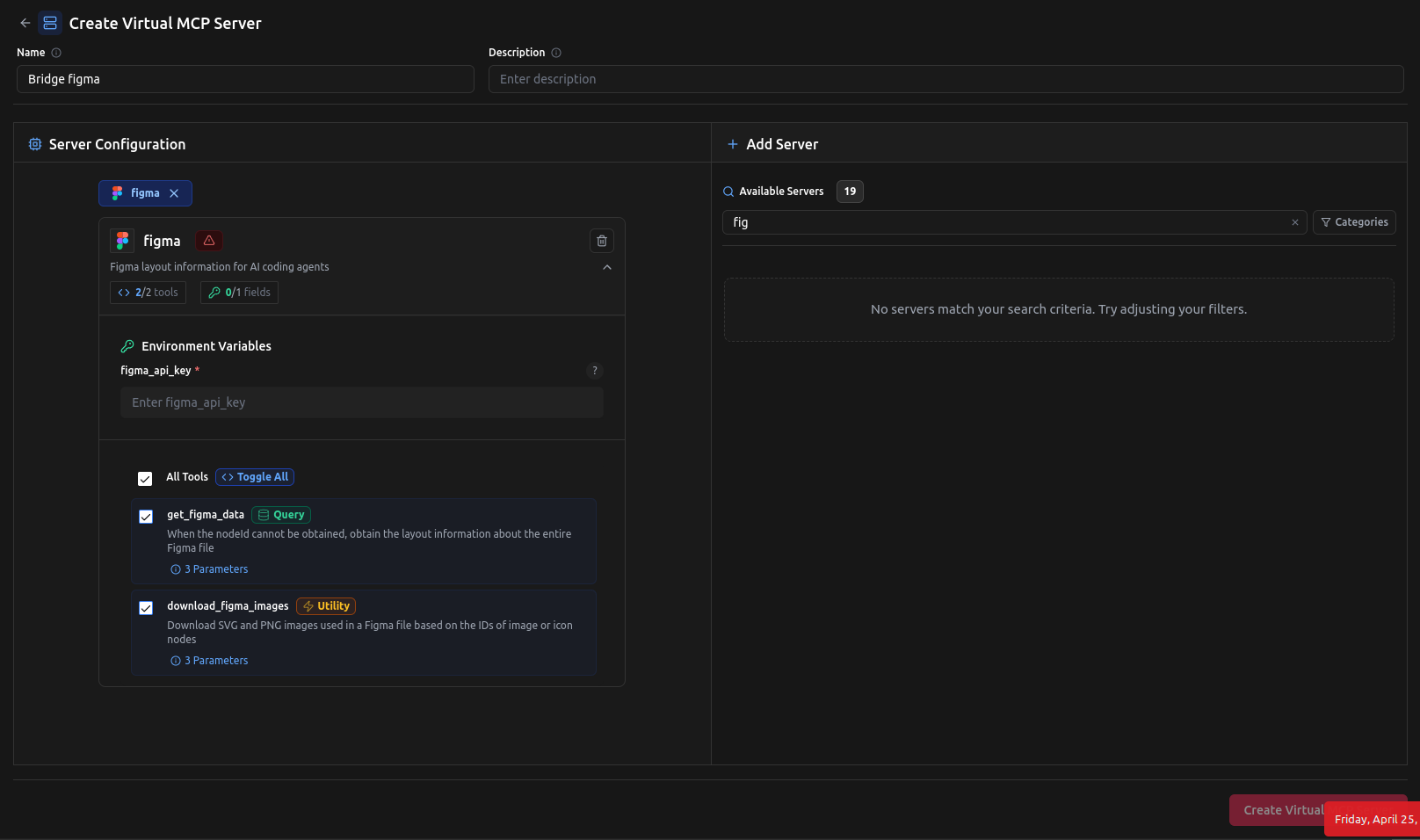
Checkout:
- Figma MCP Server: https://app.langdb.ai/mcp-servers/figma
Interaction Flow
Example Query
Implement this Figma design <figma link> in a single react component.
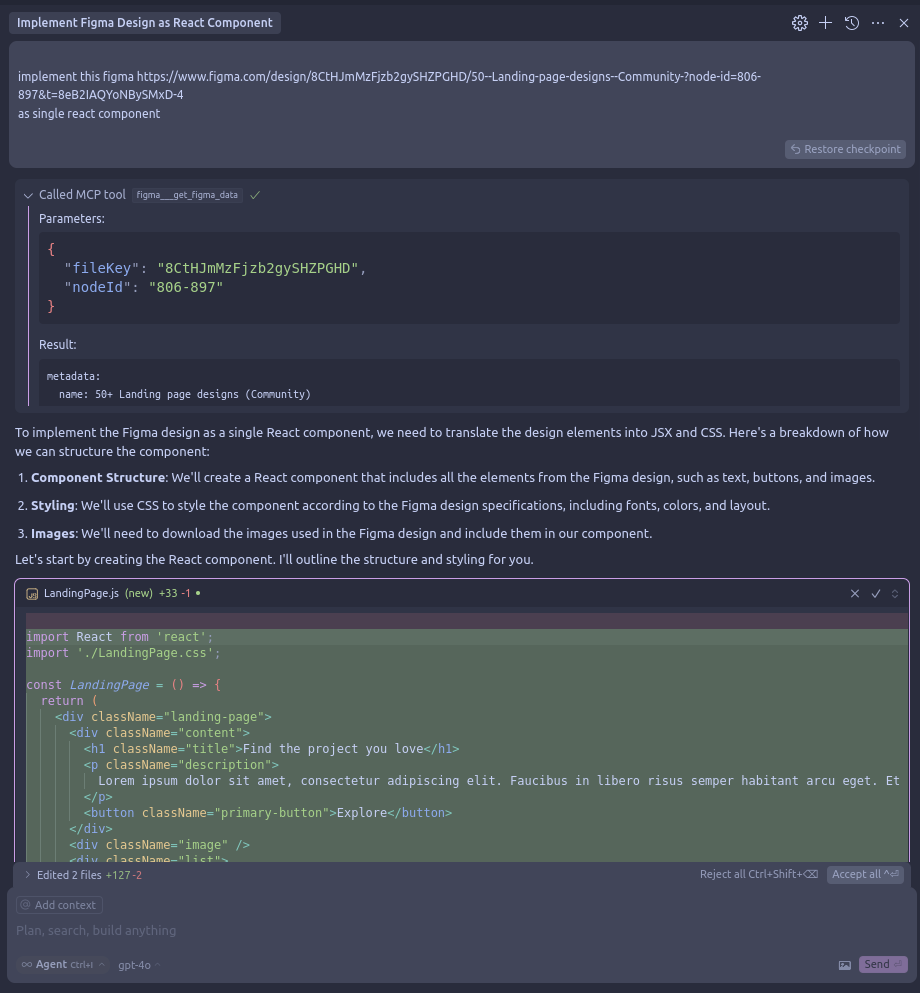
Cursor Output
import './LandingPage.css';

const LandingPage = () => {
  return (
    <div className="landing-page">
      <div className="content">
        <h1 className="title">Find the project you love</h1>
        <p className="description">
          Lorem ipsum dolor sit amet, consectetur adipiscing elit. Faucibus in libero risus semper habitant arcu eget. Et integer facilisi eget diam.Lorem ipsum dolor sit ame,consectetur
        </p>
        <button className="primary-button">Explore</button>
      </div>
      </div>
    </div>
Key Takeaways
- Automate the jump from UI/UX design to functional Python code.
- Use Figma as a dynamic blueprint for real applications.