Working with API
You can use LangDB as a drop-in replacement for OpenAI APIs, making it easy to integrate into existing workflows and libraries such as OpenAI Client SDK.
You can choose from any of the supported models.
- Python
- TypeScript
- cURL
from openai import OpenAI

langdb_project_id = "xxxxx"  # LangDB Project ID

client = OpenAI(
    base_url=f"https://api.us-east-1.langdb.ai/{langdb_project_id}/v1",
    api_key="xxxxx" ,           # LangDB token
)
response = client.chat.completions.create(
    model="anthropic/claude-sonnet-4", # Change Model
    messages=[
        {"role": "system", "content": "You are a helpful assistant"},
        {"role": "user", "content": "What are the earnings of Apple in 2022?"},
    ],
)
print("Assistant:", response.choices[0].message)
import { OpenAI } from 'openai';

const langdbProjectId = 'xxxx';  // LangDB Project ID

const client = new OpenAI({
  baseURL: `https://api.us-east-1.langdb.ai/${langdbProjectId}/v1`,
  apiKey:  'xxxx'   // Your LangDB token,
});

const messages = [
  {
    role: 'system',
    content: 'You are a helpful assistant.'
  },
  {
    role: 'user',
    content: 'What are the earnings of Apple in 2022?'
  }
];
async function getAssistantReply() {
  const { choices } = await client.chat.completions.create({
    model: 'gpt-4o-mini',
    messages: messages
  });
  console.log('Assistant:', choices[0].message.content);
}
getAssistantReply();
curl "https://api.us-east-1.langdb.ai/v1/chat/completions" \
    -H "Content-Type: application/json" \
    -H "Authorization: Bearer $LANGDB_API_KEY" \
    -X "X-Project-Id: $Project_ID" \
    -d '{
        "model": "gpt-4o",
        "messages": [
            {
                "role": "user",
                "content": "Write a haiku about recursion in programming."
            }
        ],
        "temperature": 0.8
    }'
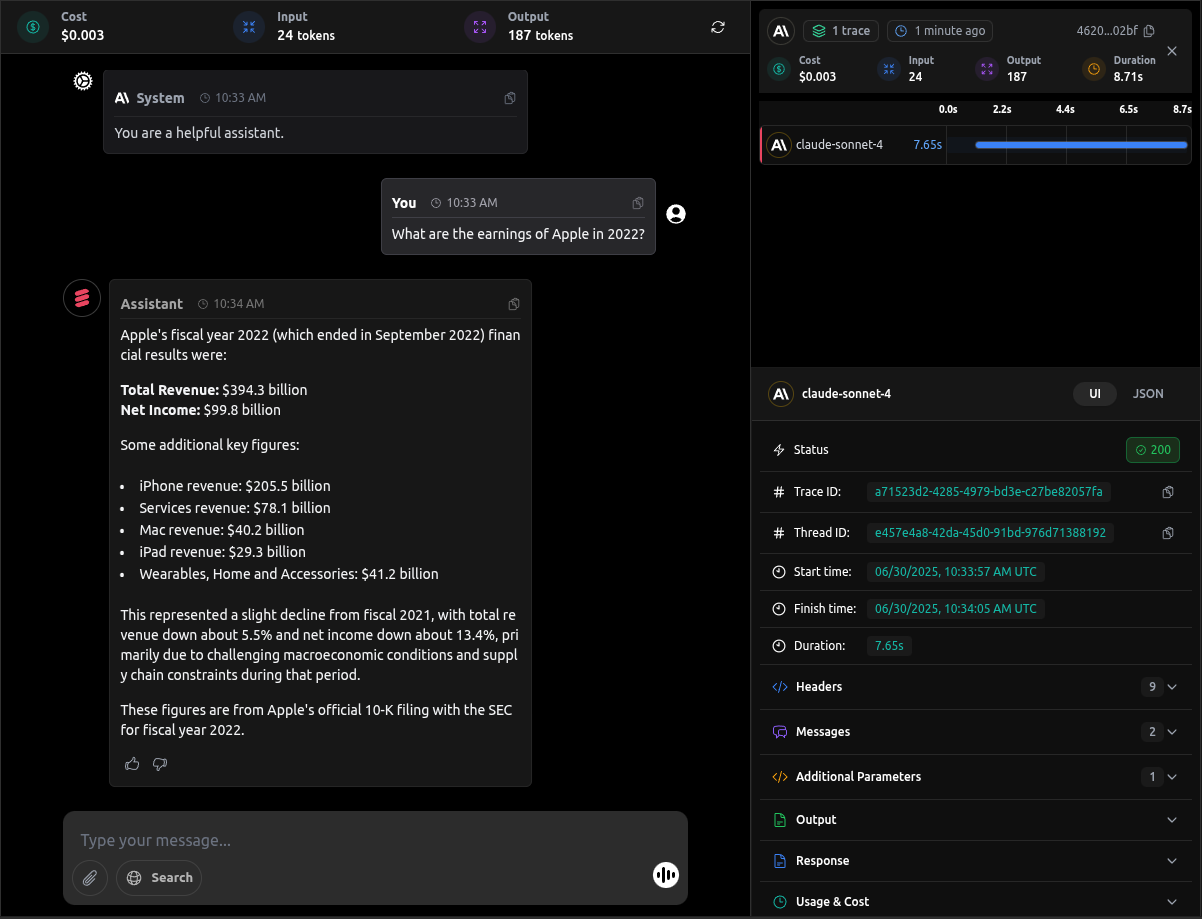
After sending your request, you can see the Traces on the dashboard: